画像サイズの調整を Imager X でやった。
この画像を使えるようにするために、ブログで使うクエリを修正する。
... on articlebody_asset_BlockType {
    id
    typeHandle
    asset {
      url
      transformWebp: url @imagerTransform (format: "webp")
      path
      title
      width
      height
    }
  }
これでWebP に変換したもののURLが transformWebpでとれるので利用できる。
Imager X の最新版を使いたかったからブログも Craft 4 にあげたという経緯。
一点、このブログはCMSのドメインと画像のドメインを分けているので、いくつか設定を追加する。
ドキュメント https://imager-x.spacecat.ninj… に記載のある以下の2つを config/imager-x.php に追加した。
- imagerSystemPath
- imagerUrl
<?php
return [
	'imagerSystemPath' => '@assetBasePath/imager/',
	'imagerUrl' => '@assetBaseUrl/imager/',
imagerSystemPath の方にサーバー内のパス。imagerUrl に表示上のURL
元々設定してあるエイリアスも使える。
画像出す部分もざっくりこんな感じでとりあえず。
else if( articlebody.typeHandle == "asset") return <picture key={articlebody.id}>
                  <source srcSet={articlebody.asset[0].transformWebp} type="image/webp"/>
                <img key={articlebody.id} src={articlebody.asset[0].url} alt={articlebody.asset[0].title} width={articlebody.asset[0].width} height={articlebody.asset[0].height}/></picture>;
複数枚画像の対応するの忘れてたのを思い出した。
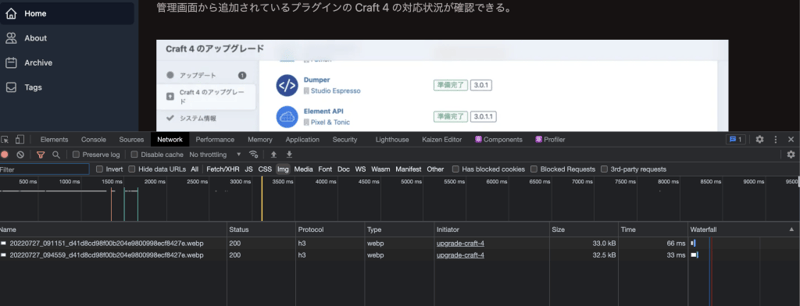
WebP のがとれてるっぽいので大丈夫そう。