Craft CMS のデータを GraphQL で確認する #craftcms
とりあえずはサンプルで入れてあるデータを GraphQL でどうやって取り出すのかを試してみる。
先日のエントリの Altair GraphQL Client を使ってみる。
ちゃんとドキュメントを読みましょう、という話ではあるのだけど試行錯誤で。。。
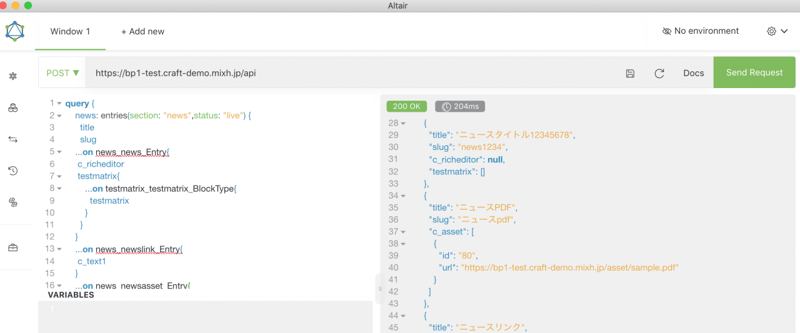
ざっくりコードの全体
コードとしてはざっくりこんな感じ。
query {
    news: entries(section: "news",status: "live") {
    	title
    	slug
    	...on news_news_Entry{
    		c_richeditor
		    testmatrix{
		        ...on testmatrix_testmatrix_BlockType{
		          testmatrix
		        }
		    }
    	}
    	...on news_newslink_Entry{
    		c_text1
	    }
	    ...on news_newsasset_Entry{
	    	c_asset{
	    		id
	    		url
	    	}
	    }
	}
	product: entries(section: "product",status: "live") {
    	title
	    slug
	    ...on product_product_Entry{
			c_textarea01
			c_text1
			sample_product_select_genre{
			id
			title
			}
			sample_product_select_maker{
			id
			title
			}
			c_asset{
			id
			url
			}
		}
	}
}
セクションとしてニュースのセクションと製品のセクションのデータを取り出す。
Query
query {
    news: entries(section: "news",status: "live") {
    〜〜〜
    }
    product: entries(section: "product",status: "live") {
    〜〜〜
    }
}
Response
{
  "data": {
    "news": [
      {
        "title": "お知らせテスト",
        "slug": "test-20190810",
        "c_richeditor": "<p>c_richeditor field</p>",
        "testmatrix": [
          {
            "testmatrix": "<p>testmatrix block field aaa</p>"
          }
        ]
      }
    ],
    "product": [
      {
        "title": "製品5_20191002-1030",
        "slug": "製品5",
        "c_textarea01": "製品5製品5製品5製品5製品5製品5製品5製品5製品5製品5\n製品5製品5製品5製品5製品5\n製品5製品5",
        "c_text1": "5555555555",
        "sample_product_select_genre": [
          {
            "id": "649",
            "title": "フロントエンド"
          }
        ],
        "sample_product_select_maker": [
          {
            "id": "674",
            "title": "ハムワークス"
          }
        ],
        "c_asset": [
          {
            "id": "67",
            "url": "https://bp1-test.craft-demo.mixh.jp/asset/RED19526E005_TP_V.jpg"
          }
        ]
      },
    ]
}
タイトルやslugは直接取れるが、その他フィールドは入力タイプの中にあるという感じっぽいので、
news: entries(section: "news",status: "live") {
	title
	slug
	...on news_news_Entry{
		c_richeditor
	    testmatrix{
	        ...on testmatrix_testmatrix_BlockType{
	          testmatrix
	        }
	    }
	}
こんなかんじで
...on <$section handle$>_<$entrytype handle$>_Entry{
〜〜
}
の中で取り出す。
Matrix フィールドの取り出し
Matrixの場合はさらに
<$matrixfield handle$>{
	        ...on <$field handle$>_<$block handle$>_BlockType{
	          <$field handle$>
	        }
	    }
のような感じで取り出す。
こんな感じで取り出すなら SuperTable もいけるのかなー、と思ったけどうまくとれず。
リレーション系のフィールドの取り出し
リレーション系のフィールドは普通のフィールドと同様に取り出しつつ、設定されているオブジェクトの情報があるので、id, title とかフィールドの値を取り出せる
product: entries(section: "product",status: "live") {
	title
    ...on product_product_Entry{
		c_textarea01
		sample_product_select_genre{
			id
			title
		}
sample_product_select_genre がこの場合はリレーションのフィールド。
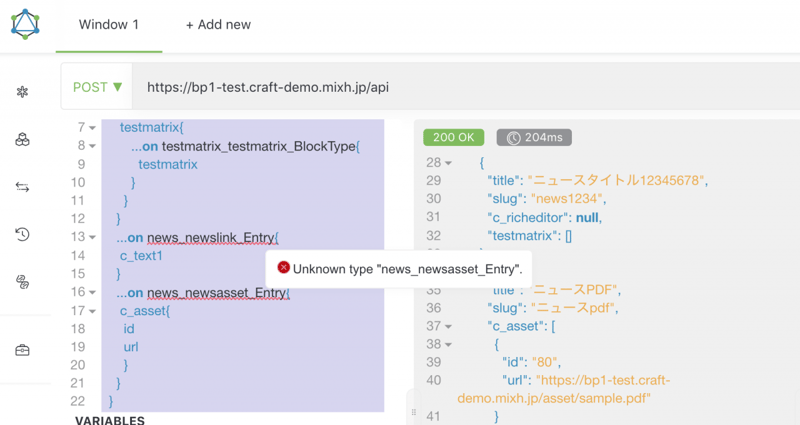
この辺のメッセージが出るけど、これは特に気にしなくても大丈夫だった。